
 | Updated:
 - Jump to:
- Forex Brokers with ProTrader
- ProTrader Forex Brokers by Spread
- Who Created Protrader
- Protrader Interface
- Types of Orders
- Advanced Standout Features
- Versions
- Protrader for Windows
- Protrader for Mac
- Protrader Web
- Protrader Mobile
- PTMC
Protrader is one of the most powerful trading platforms Forex traders can use today. Thanks to the platform’s functionality and efficiency, it delivers an easy and intuitive trading experience that offers all the capabilities professional traders need. Because of its advanced features, traders can integrate their Forex portfolios without any problems.
 Plus500 USThis content applies only to Plus500 US and clients from the United States. Trading futures involves the risk of loss.
- eToro50% of retail investor accounts lose money
- Fusion Markets74-89% of retail's CFD accounts lose money
- FP Markets73.33% of retail investor accounts lose money
- Global Prime74-89% of retail CFD accounts lose money
- Pepperstone72.9% of retail investor accounts lose money




The good news is the Protrader platform has a great, user-friendly interface. It is fully customizable, allowing users to rearrange it and tailor it to their preferences. At the same time, it meets their specific needs in terms of trading styles and markets. Experienced traders have the chance to enjoy a full range of tools.
Who Created Protrader?
 Protrader was designed by a team of highly competent trading experts from Ukraine. The company behind the platform, PFSOFT, started out in 2003 with one clear task in mind: to create a cutting-edge platform that facilitates trading with a broad range of financial instruments.
Following the launch of Protrader, PFSOFT expanded its operations to some of the world’s largest financial markets. It presently caters to retail brokers, banks, and prime brokers in Japan, Australia, the USA, China, Canada, the UK, New Zealand, South Africa, and Russia.
PFSOFT provides its clients with deployment services and technical support. The company’s platform enables trading across multiple classes of assets, including Forex currency pairs, stocks, forwards, contracts for difference (CFDs), and options.
The Protrader Interface
 Protrader has an attractive interface that is sophisticated and intuitive at the same time. More importantly, the interface is completely customizable, allowing users to adapt the entire trading experience to their personal preferences and style.
There are different table filters traders can use to customize their workspace. Creating your own platform features is made possible by the customizable toolbar. Users can make their workspace unique and easy on the eyes by adjusting the layout’s colors.
Furthermore, the dockable layout system incorporated into Protrader allows them to create and save many different workspaces. Switching from one trading environment to another is extremely easy. There is no limit on the number of workspaces traders can create.
Types of Orders Supported by Protrader
 Protrader offers great versatility in terms of supported order types. Each order type is intended for use in specific market conditions. The platform gives you a choice of Market, Limit, Stop, and Trailing orders. Below are brief explanations of each order type.
- Market orders are the most common type of order in trading. With this order, the trader sends their broker an instruction to open a long or short position at the best price currently available for the given market.
- Limit orders are also available via the Protrader platform. With limit orders, the trader specifies the maximum price at which they are willing to buy or the minimum price at which they wish to sell the respective asset, whether it is a currency pair, a stock, a commodity, and so on.
There are two subtypes of limit orders. The first one is the Buy Limit, which is used when a trader expects an asset’s value to drop before it rises again. Sell Limit orders have the opposite function and are used when one expects the asset’s price to increase before it drops.
- Stop orders (also called stop-loss orders) are typically utilized as a means of protection against incurring substantial losses, although you can also use them to safeguard your profits when selling short. With a stop order, the trader instructs their broker to open a long or short position when the asset’s price escalates to a certain value. This value is known as the stop price. When this occurs, the stop order turns into a market order.
- The trailing stop order is also a subtype of the stop order. You use it when you want to lock in your profits from a given trade. At the same time, trailing stops enable you to cap your losses if the markets move against you.
Advanced Standout Features in Protrader
 The user-friendly interface renders Protrader an excellent option for beginners, but the platform is also appropriate for experienced traders thanks to its suite of advanced trading tools. These are intended to enable intelligent decision-making and in-depth analysis.
- The Market Depth tool enables users to track the flow of orders and market sentiment. It also shows traders Level 1 and Level 2 quotes along with integrated order entry. The Market Depth feature gives users valuable insights about pricing and volumes on either side of the market. You get to see actual earnings and losses along with average prices and position quantities, making it invaluable for traders handling larger volumes of currency pairs, futures, stocks, or other instruments.
- Trading via charts is also supported by Protrader. It allows traders to initiate their orders with a single click on a chart. To use this functionality, you only need to place your mouse cursor directly on the price at which you wish to buy or sell an asset, then click on the value to reveal the buttons for the different order types. This feature enables faster management of your positions. You can modify order parameters or open and close trades with a single mouse click. The platform contains seven different chart styles.
- The AlgoStudio module is implemented for programming and back-testing various algorithmic strategies. It is based on the C# programming language and encompasses features for strategy scripting, optimization, and debugging. Users also benefit from walk-forward testing and detailed real-time statistics to see how different strategies perform.
- The Time and Sales feature is a professional tool for analytics. It communicates information about the trades you make along with Level 1 quote data. Time and Sales is particularly powerful for traders who have adopted the tape-reading technique, used for analyzing market data based on volume and pricing.
- Basket trading is another unique feature available via the Protrader platform. It enables traders to save specific order properties into a ‘basket’ for future use. This function makes it possible for users to execute entire predetermined sets of orders with one mouse click. It also enables you to open positions for multiple assets simultaneously and assign lot sizes with ease.
- The Scalper panel is the ideal solution for users who open positions frequently and focus on short-term results. It offers full functionality, including Time and Sales information, single-click trading and tick-chart overlay, among other useful features.
- Technical indicators are available in abundance in Protrader to the benefit of people keen on analyzing market trends and price action. These can be highly valuable assistants when it comes to estimating market sentiment.
- The Option Master is geared toward users who prefer to trade on the options market. It enables them to accurately evaluate option positions, plot different option profiles, and tailor their changes depending on various market factors.
- The Portfolio functionality is particularly helpful to people who utilize portfolio strategies when trading. This technique is also referred to as program trading. The feature makes it possible to create charts based on your trading portfolio, which can then be traded as a single asset.
Versions of the Protrader Platform
 The Protrader platform is available in several different versions, each intended for use on a specific operating system and device type. Microsoft Windows and Mac users can download and install the software on their computers at no cost.
Traders who use Linux can take advantage of the browser-based version of the software, Protrader Web. Mobile users are catered to with easy-to-use dedicated applications for Android and iOS that provide them with quick and convenient access to the markets on the go.
Downloadable Protrader for Windows
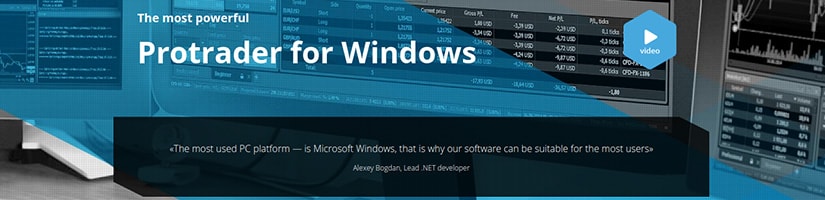
The downloadable version of Protrader for Microsoft Windows is not your ordinary trading platform. It provides powerful tools for advanced trading with an intuitive, customizable interface that will appeal to veteran traders and novices alike.
The platform is highly functional, allowing users to execute low-latency trades across a wide range of markets. It supports useful functions such as trading multiple assets, risk management, and in-depth market analysis.
Windows users get the chance to devise and run different algorithmic strategies, thanks to the unique AlgoStudio module discussed earlier.
Chart trading is also possible, with traders choosing from a set of fully customizable chart types. This increases the convenience and speed of the entire trading process. All of these features help create a bespoke trading environment for Protrader users.
Downloadable Protrader for Mac
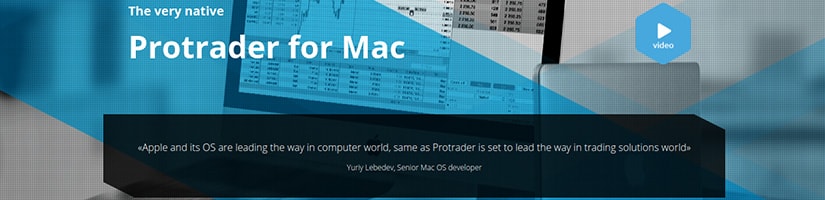
The Ukrainian fintech company has also deployed a dedicated downloadable version of Protrader for Mac computers. The Mac-compatible platform was written in the Swift programming language and made its debut in the second quarter of 2017. The terminal allows users to create demo accounts for testing purposes.
The Mac version supports trading across many different classes of assets, ranging from currency pairs and leveraged products like CFDs to futures, equities, and exchange-traded funds. Spread betting is supported as well.
The Mac-compatible Protrader is equipped with a handful of advanced features that benefit more seasoned investors. The developers have put a heavy emphasis on order management and chart trading.
Thanks to the Market Depth feature, you have all the vital information about prices on either side of the markets at a glance. Protrader for Mac also supports trading with a single mouse click, a favorite feature of many retail traders.
Protrader Web
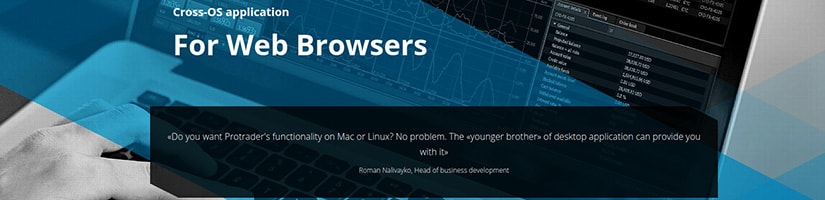
Some traders are unwilling to deal with the installation of additional software, while others use desktop computers that are incompatible with the downloadable version of Protrader. Either way, the solution is Protrader Web. This is a light and intuitive web-based application developed with HTML5 technology.
Protrader Web is compatible with a wide range of browsers, including the most commonly used ones like Firefox, Safari, Opera, Chrome, and Internet Explorer 8 or later. The range of tools and features in the web version will satisfy the needs of all traders, from beginners to veterans.
The browser-based workspace is fully customizable thanks to the dockable layout. This makes it possible for traders to tailor the workspace to their needs and preferences. You can tab different panels into groups to save space, and switching between instruments is completely hassle-free.
Protrader Web users also benefit from Market Depth, Level 2 price quotes, various charting features, and the Time and Sales panel discussed earlier. The platform is equipped with more than fifty technical indicators traders can use for market-sentiment estimation.
Protrader for Smartphones and Tablets
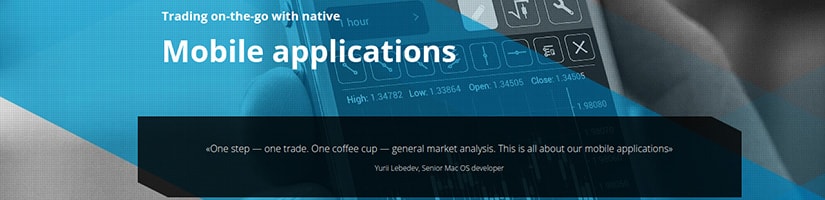
The platform also comes in two mobile versions, compatible with smartphones and tablets running on iOS and Android. Traders interested in handling their positions on the fly can download the dedicated mobile applications from Apple’s App Store for iPhones and iPads or the Google Play Store for Android-based devices. Both apps are available for free download.
They give you instant access to your trading portfolio and history from any location as long as you have a reliable Internet connection. The apps facilitate convenient trading with currency pairs, futures, stocks, and contracts for difference.
Mobile users have access to a rich suite of features and advanced trading tools. The Pocket Assistant is easily one of the most useful features here. With its help, traders can receive reports and information about their trading activities on demand, based on overall account performance.
The apps offer plenty of charts and sophisticated technical indicators along with monitoring and drawing tools for precise analysis. The mobile versions also provide access to all the relevant news events you need to know about to keep abreast of the financial markets.
When armed with such features, mobile traders can easily forecast movements in the markets and make intelligent decisions about their orders. Best of all, the intuitive mobile interface delivers easy, quick, and hassle-free navigation on the go.
Protrader Multi-Connect Platform (PTMC)
Protrader Multi-Connect is another powerful platform designed by the creators of the original Protrader software. It enables users to trade major financial instruments like CFDs, Forex pairs, stocks, options, bonds, and futures. It offers a versatile range of analytical and charting tools, designed to fulfill the highest expectations of demanding traders.
Launched in 2015 as a standalone project, the platform quickly attracted the interest of traders worldwide. Its community currently spans more than 10,000 market participants, from developers to retail traders.
PTMC is rich in useful features, including dockable panels, adjustable time frames, multiple workspaces, real-time news, a versatile suite of technical indicators, chart trading, and intelligent drawing tools.